

Appearance
CI/CD Runners
Shaep provides dedicated runners for your organization's CI/CD pipelines. Builds run in isolated environments with support for container image builds and integration tests.
How It Works
When you push code (merging into main is a push too), the platform automatically runs your workflows on your organization's runners. Opening a pull request does not start a run. Each run gets a clean workspace and the tools needed to build, test, and package your application.
Configuring Runners
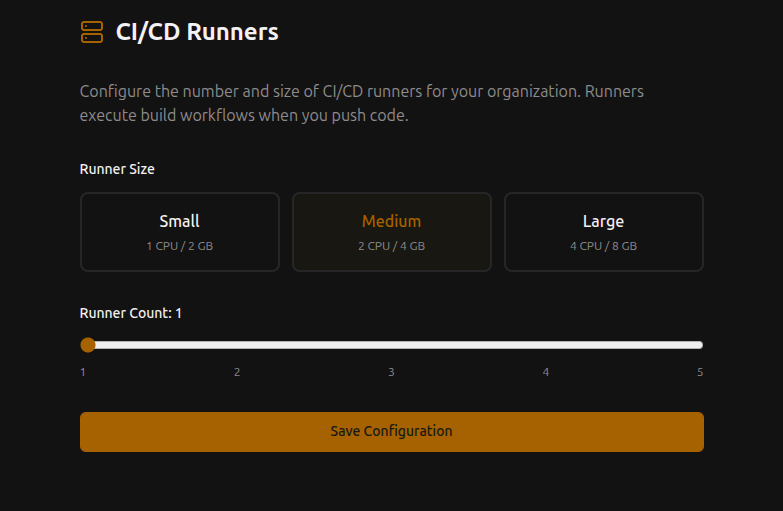
Open Settings > Runners and click Configure to set:
Runner Size
| Size | CPU | Memory | Best for |
|---|---|---|---|
| Small | 1 vCPU | 2 GB | Simple builds, linting, tests |
| Medium | 2 vCPU | 4 GB | Most CI/CD workloads |
| Large | 4 vCPU | 8 GB | Heavy builds, large test suites |
Runner Count
Scale from 1 to 5 runners per organization. More runners means more pipelines can run in parallel.
Timeout
The longest a single run may take, from 60 to 7200 seconds.
Changing the runner size rebuilds the runner pool and clears its build caches. It needs an admin, and the portal may ask you to sign in again first.
Pipeline Workflows
Pipelines use GitHub Actions workflow syntax. Put workflow files in .forgejo/workflows/ in your repository. Shaep CI runs them on the runners above — Forgejo Actions itself is disabled, so there is no Actions tab or Forgejo runner to set up. Runs appear in the app's CI tab. Only runs-on: ubuntu-latest is available, and workflow secrets come from Settings > Secrets (or an app's own Build settings > Secrets).
Example workflow:
yaml
name: Build and Test
on: [push]

jobs:
  build:
    runs-on: ubuntu-latest
    steps:
      - uses: actions/checkout@v4
      - name: Build
        run: docker build -t my-app .
      - name: Test
        run: docker run my-app npm test
Isolation
- Runners are isolated per organization — your builds never share resources with other tenants
- Each pipeline run gets a clean workspace
- Persistent build cache can be enabled for workloads that benefit from it