

Appearance
Security Scanning
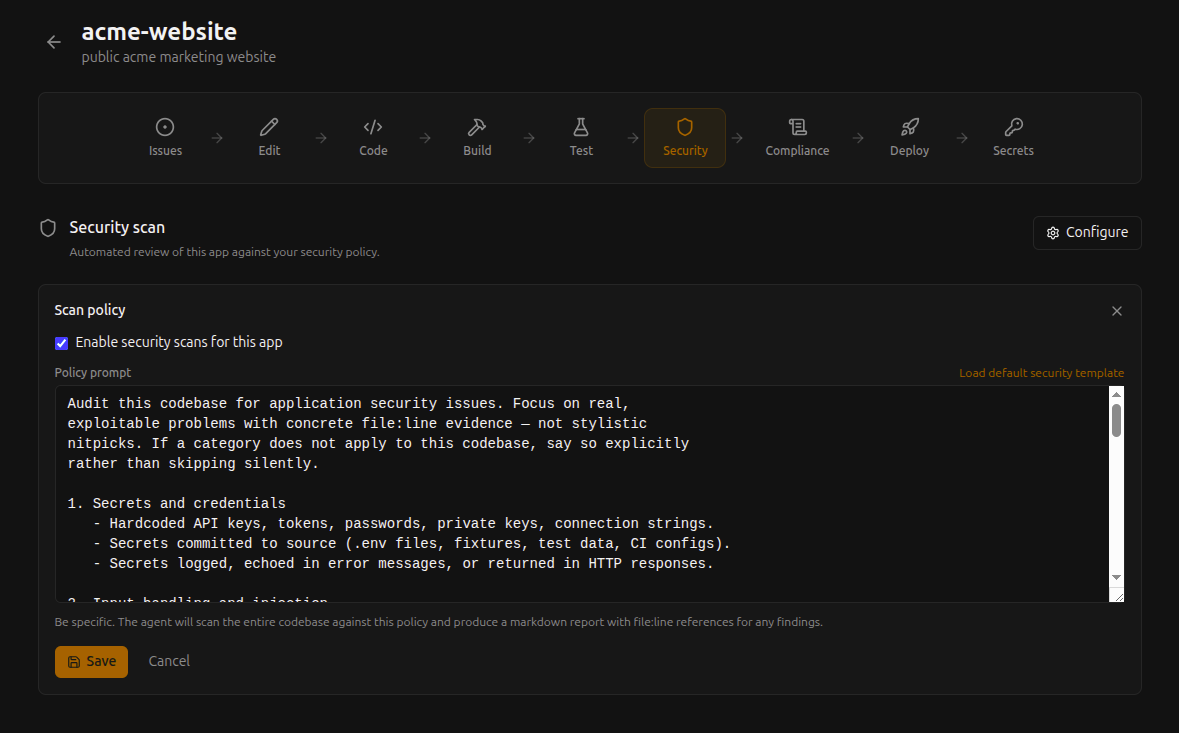
Every commit on Shaep is automatically scanned against your configurable security policy. The scanner focuses on real, exploitable problems and reports findings with exact file and line references.
How It Works
When code is pushed or a pull request is created, the platform runs an automated security scan as part of the pipeline. The scan analyzes your code for:
- Hardcoded secrets — API keys, passwords, tokens committed to source
- Injection vulnerabilities — SQL injection, command injection, XSS
- Authentication bugs — Broken auth flows, session mismanagement
- Dependency vulnerabilities — Known CVEs in your dependencies
Configuring the Policy
Each app has a configurable security policy that controls what the scanner looks for and how strictly it reports. Navigate to your app's security settings to customize the policy prompt.
The policy is flexible — you can:
- Focus on specific vulnerability categories
- Adjust severity thresholds
- Add context about your app's architecture so the scanner understands what's intentional vs. risky
Reading Scan Results
Scan results appear in the pipeline view for each commit. Each finding includes:
- Severity — How critical the issue is
- Category — The type of vulnerability
- File and line — Exact location in your code
- Description — What the issue is and why it matters
- Recommendation — How to fix it
What the Platform Hardens, and What Your App Hardens
External scanners (internet.nl, Mozilla Observatory, securityheaders.com, a customer's pentest) check your app's public hostname. Some of what they look for is set by the platform on every response; the rest depends on your app's own content, so only your app can set it. The security scan reports the second group so nothing surprises you in someone else's scan.
Set by the platform — nothing to do:
- TLS with a Let's Encrypt certificate, HTTPS redirect,
Strict-Transport-Security X-Content-Type-Options: nosniffandReferrer-Policy(only added when your app sends none; your own value always wins)- Rate limiting per client, single sign-on in front of the app when enabled
- DNSSEC for the platform hostname
Set by your app — the scan reports these when missing:
Content-Security-Policy. Usescript-src 'self'(plus what your app needs) rather than a nonce-only policy: the platform can inject same-origin scripts such as the feedback overlay.X-Frame-Optionsor aframe-ancestorsdirective, unless your app is meant to be embedded in other sites.Permissions-Policy.Secure,HttpOnlyandSameSiteon cookies your app sets.- DNSSEC on a custom domain: enabled at your registrar or DNS provider, not on the platform. The deployment monitor reports whether each custom domain is signed.
There is no web application firewall in front of deployed apps. A scanner that lists "no WAF" is describing the platform, not a defect in your app.
No Setup Required
Security scanning runs automatically — there's nothing to install, no configuration files to add to your repo, and no external service to connect. It's part of the pipeline from the start.